7 Best Smart Doorbells for Front Doors 2026

This post may contain affiliate links. As an Amazon Associate I earn from qualifying purchases. If you choose to make a purchase, I may earn a small commission at no extra cost to you.
Choosing a smart doorbell for a front door can mean choosing a lock too. Some units combine a camera and doorbell with several ways to enter, while others focus on live viewing, a screen at the lock, or fewer battery changes. The right fit depends on how you use your entry and which checks matter.
The CHAMBERLAIN myQ Secure View Smart Lock is the top pick for its 2K HDR camera and range of entry methods. This guide to the best smart doorbells for front doors you can buy in 2026 also covers options for live viewing, screen checks, battery life, voice privacy, and doorbell calls, so you can compare them against your own routine.
Our Top Smart Doorbells for Front Doors Picks

CHAMBERLAIN myQ Secure View Smart Lock
- Design: Deadbolt, camera, doorbell
- Unlock Methods: Face, fingerprint, PIN, app, key
- Camera: 2K HDR, wide-angle, color night vision

- Design: Lock, camera, doorbell, keypad
- Unlock Methods: Fingerprint, PIN, app, key, voice
- Camera: HD, 150-degree view

eufy FamiLock S3 Max Video Smart Lock
- Design: Lock, camera, doorbell, rear screen
- Unlock Methods: Palm vein
- Camera: 2K HD, 150-degree view

EIYSIE 8-in-1 Video Smart Deadbolt
- Design: Automatic deadbolt, camera, doorbell
- Unlock Methods: Palm, face, voice, fingerprint, PIN, card, app, key
- Camera: HD

Nyboer H3M-Pro Video Smart Lock
- Design: One-piece lockset replacement
- Unlock Methods: Fingerprint, PIN, RFID, app, voice, key
- Camera: Built-in video camera

- Design: Lock, camera, doorbell
- Unlock Methods: Fingerprint, passcode, card, key, app
- Camera: HD snapshots
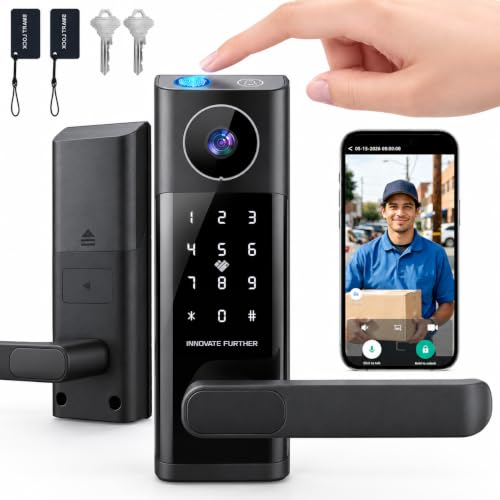
- Design: Deadbolt with lever handle
- Unlock Methods: Fingerprint, password, card, app, key
- Camera: Built-in camera
More Details on Our Top Picks
CHAMBERLAIN myQ Secure View Smart Lock brings a deadbolt, doorbell, and camera together, so you can manage entry and check visitors from one device. It gives you five ways to unlock, including facial recognition, fingerprint, PIN, app, and key access.
The 2K HDR camera has a wide-angle lens and color night vision, and two-way audio lets you speak with visitors. You can manage PINs and lock or unlock the door through the myQ app.
Its rechargeable battery runs for four to six months, and you can swap in a spare battery while the other charges. Smart detection alerts and garage auto-close features require a subscription, and you need to buy the myQ Chime separately for in-home audio alerts.
Compared with models that only show video after a doorbell press, this one pairs broad access choices with detailed video. The facial access and all-in-one design make it a practical fit if you want both entry control and visitor checks in one place.
Bottom line: Choose it if you want a video doorbell and smart deadbolt in one device, with several ways to enter and clear night video.
ARPHA D289W Video Smart Lock suits you if you want to check your front door without waiting for someone to ring the bell. Its camera supports live viewing through the TUYA app, and the 150-degree view helps you see more of the area outside.
You can unlock it with a fingerprint, PIN, app, backup key, or voice command. Two-way audio lets you talk to visitors, while one-time guest codes and an anti-peeping PIN give you options for sharing access.
The rechargeable 7800mAh battery lasts months per charge, and the lock has an IP54 rating for water and dust protection. You can set auto-lock anywhere from zero to 99 seconds, and the app’s basic functions carry no monthly fee.
Unlike the doorbell-triggered camera on the wrydao, this one offers on-demand viewing. Set a new password before relying on the lock, since its default PIN and fingerprint access remain active until you do.
Bottom line: Pick this model if you want to open a live view at any time and need a weather-rated lock for an exposed front door.
eufy FamiLock S3 Max Video Smart Lock gives you a way to check the front door on the lock itself, without opening a phone app. Its rear video screen can help children or older family members see who is outside.
Palm vein recognition handles entry, and the camera records 2K HD video through a 150-degree head-to-toe view. The lock keeps palm data on the device, and the rechargeable battery runs for up to four months.
A set of four AAA batteries can provide another month of essential functions if the main battery runs out. Matter support connects with Apple Home, Google Home, Alexa, and SmartThings, while HomeBase 3 adds access to eufy security features.
Camera streams do not work through Matter, so you need the eufy app for the full camera experience. Compared with the Chamberlain, this model stands out for its built-in screen and palm vein access, rather than a wider list of entry methods.
Bottom line: Choose it if you value palm vein entry and want family members to check the door on a screen built into the lock.
EIYSIE 8-in-1 Video Smart Deadbolt gives you more ways to unlock than the other models here. You can use palm vein recognition, 3D face recognition, voice control, fingerprint, PIN, IC card, app, or a physical key.
The built-in camera and doorbell send video to your phone, and two-way talk lets you speak with visitors. The lock can also record and save video when it detects loitering, and it supports up to 300 user profiles.
Alexa and Google Assistant work with the lock over WiFi, and you can control it remotely without a hub. Its fully automatic design removes the mechanical handle and uses synchronized lock bodies for one-touch unlocking.
Check your door measurements before choosing it. The lock fits doors 35 to 50 mm thick and needs 140 mm between two round door holes; non-matching hole positions require extra drilling. Compared with the Nyboer, it offers more entry methods but calls for closer attention to door fit.
Bottom line: Pick it if your household needs many entry methods and you have a door that matches its hole spacing and thickness requirements.
Nyboer H3M-Pro Video Smart Lock works well if you want one unit to replace your front door lockset. Its 9.25-inch panel covers the deadbolt and handle holes, which can give the door a cleaner look after installation.
You can unlock it with a fingerprint, PIN, RFID card, app, voice control, or backup key. Built-in WiFi lets you manage access remotely, share temporary or permanent access, and review activity history without an extra hub.
The camera sends visitor alerts to your phone and supports real-time viewing. A removable rechargeable battery runs for up to eight months, and low-battery alerts give you notice when it needs a charge.
Compared with the EIYSIE, this model offers fewer entry options but a longer stated battery runtime. The two-year replacement warranty adds a practical benefit if you want a full lockset replacement with remote access features.
Bottom line: Choose it if you want a full lockset replacement, long battery life, and several ways to share access through the app.
CEMANTA D01 Video Smart Lock gives you five ways to enter, including fingerprint, passcode, IC card, key, and app control. Its anti-peep virtual code lets you add random digits before or after your real PIN.
The camera sends a snapshot to your phone when someone rings the doorbell, and the app supports live view and playback. You can talk with visitors through two-way audio, use a voice changer, and unlock the door remotely after checking who is there.
Alexa voice control, app alerts, and unlock history add remote access tools. The rechargeable battery sends a low-battery alert, and the lock resists rain, dust, and temperature changes for outdoor use.
Compared with the ARPHA, this model adds a voice changer but does not offer the same stated wide-angle camera view or IP rating. The fingerprint sensor also unlocks in under half a second, making it a useful choice if you want quick entry and more privacy during visitor calls.
Bottom line: Pick it if you want a voice changer for visitor calls, app-based video, and several keyless entry choices.
wrydao Video Door Lock suits you if you want a smart lock with a familiar lever handle and a camera for answering doorbell calls. You can unlock it with a fingerprint, password, IC card, app, or backup key.
When someone presses the doorbell, the app calls your phone so you can view the entryway, talk through two-way audio, and unlock the door remotely. The camera only starts through a doorbell press, so you cannot open a live view whenever you want.
The lock connects over 2.4GHz WiFi and supports remote user management and temporary access. Its backlit keypad has an anti-peeping password feature, and auto-lock helps secure the door after entry.
Four AAA batteries power the lock, and low-battery alerts give you a warning. A USB-C emergency power option and backup keys provide alternatives if the batteries run low. Compared with the ARPHA, it gives you a lever handle but less flexibility for checking video on demand.
Bottom line: Choose it if you prefer a lever handle and mainly need video calls when visitors press the doorbell.
Factors to Consider When Choosing Smart Doorbells for Front Doors
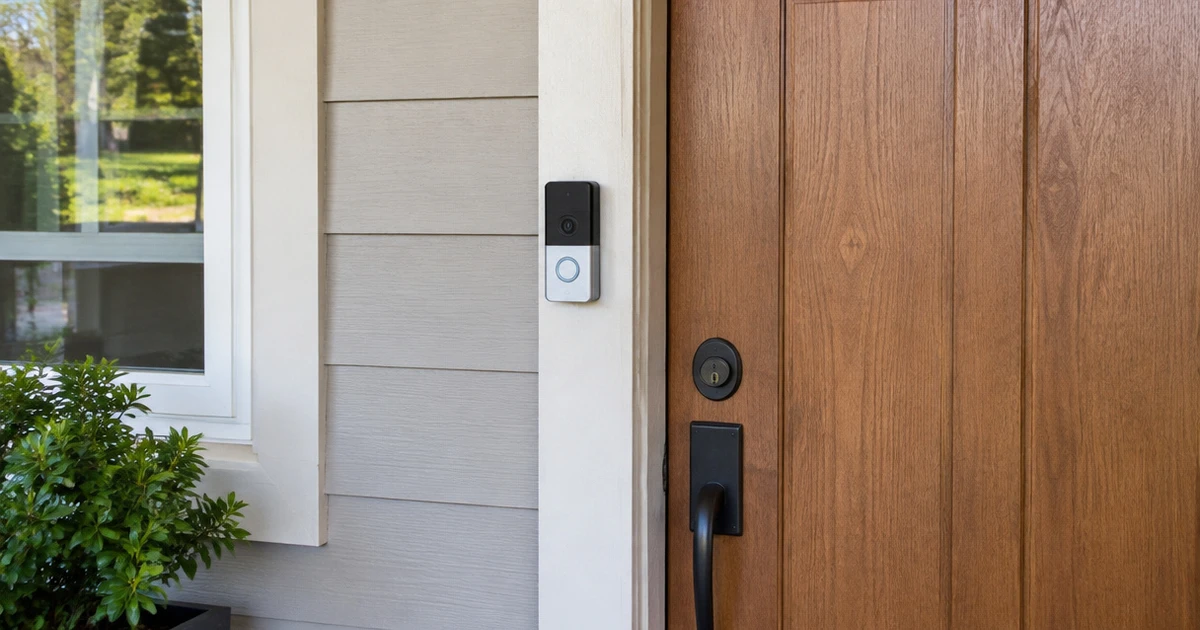
Start with the jobs you expect the device to handle: seeing a caller, speaking through the app, and managing entry. A good match fits your door, offers useful access tools, and gives you a clear way to check activity.
Camera Coverage and Detail
Resolution and viewing angle shape how much detail and surrounding space appear in a visitor view. Compare HD with 2K, then check the stated angle instead of treating resolution as the only measure.
A wider view may help if the approach is not directly in front of the door, while camera placement still shapes what enters the frame. Think about packages near the threshold too, since a straight-on view may miss low areas.
| Spec | What it tells you | Useful for |
|---|---|---|
| HD | High-definition video | Everyday visitor checks |
| 2K | More image detail than HD | Seeing finer details |
| Viewing angle | Side-to-side coverage | Entrances off to one side |
Treat angle and detail as separate specs. Choose the combination that covers the area you care about rather than following the largest number alone.
Live Viewing and Alerts
Decide how you want to check visitors. Some units start a video call only when someone presses the doorbell; others let you open a live view at any time. The second setup can help you check a delivery or activity before someone rings, but it depends on a usable Wi-Fi connection and an app you can reach.
Check how alerts arrive and whether the app supports two-way audio. If other household members need access, see how the app handles shared access before you choose. Think about the moments you expect to use it, not just the feature list.
Entry Methods and Access
List the ways each person in your home needs to enter. Fingerprints and PINs can reduce the need to carry a key for everyday use, while a physical key gives you a familiar backup. A phone app can help you manage access remotely, and cards or voice controls may suit people who already use those methods.
- Who needs a personal code or fingerprint?
- Do you want app-based access for guests?
- Do you need a physical key as a backup?
Compare the methods each person will actually use. Too many unused options can make setup and daily instructions harder, especially for guests or children. Keep backup access simple.
Power and Charging
Battery life affects how often you need to take the unit off or connect it to charge. Compare the stated runtime, then think about how often the camera and live view may run in your routine. A longer estimate may appeal if you want fewer charging stops, while a rechargeable unit can be convenient if you have a charging plan.
Check whether the device uses a rechargeable pack or replaceable batteries, and see how it warns you about low power. Review the installation steps and your door setup too. If you cannot make hardware changes, choose a model designed for a simpler fit.
Audio, Privacy, and Smart Home Support
Two-way audio lets you speak to someone at the door through an app, which can help with deliveries or visitors when you are elsewhere. Check that the microphone and speaker setup suits your usual environment, and look for a voice-changing option if you want to alter how you sound during a call. Think about who shares the entry and the app access.
Review the app’s access controls and the smart-home systems it supports. A device that works with your current home platform can be easier to manage, while a mismatch may leave you using a separate app. Choose based on the controls you actually use.
Door Fit and Daily Use
Measure the door and identify the lock style before choosing an integrated camera lock. These devices can replace a deadbolt or a larger lockset, so compare the required door dimensions, latch position, and handle layout with your existing setup.
A separate video doorbell may fit better if you want to keep the current lock. Plan for the camera to show the approach without blocking normal use of the door.
Think about who will use the keypad or app each day. Controls should feel easy to reach and understand, and an interior screen may help if you prefer checking a visitor without opening your phone.
Which Smart Doorbell Fits Your Front Door?
Choose the CHAMBERLAIN myQ Secure View Smart Lock if you want a broad mix of entry methods with 2K HDR video. The ARPHA D289W suits anytime app viewing, while the eufy FamiLock S3 Max gives you a rear screen for visitor checks at the door. The EIYSIE 8-in-1 gives you eight entry methods.
The Nyboer H3M-Pro suits you if battery life is your priority, with rechargeable power for up to eight months. Choose the CEMANTA D01 if a voice changer during two-way audio matters, or the wrydao Video Door Lock for calls that start when someone rings. Match your choice to how you plan to check visitors and manage entry.
Frequently Asked Questions
Do smart doorbells need Wi-Fi?
Most app-based models need Wi-Fi for remote video, alerts, and two-way calls. Check the supported network band and signal strength near your front door before buying. Some entry features may still work locally, but app access can stop when the connection drops.
Can I see a visitor without opening an app?
Some integrated video locks include a screen on the inside unit, so you can check a visitor at the door. Many models instead send live video to a phone app. If you want to avoid reaching for your phone, look for a built-in screen and check where it sits.
Will a smart doorbell replace my existing lock?
Some smart doorbells mount near an existing lock, while video smart locks replace part or all of the lock hardware. Check your door’s layout and the device’s fit requirements before ordering. If you rent or want to keep your current hardware, a separate doorbell may suit you better.
Do smart doorbells record visitors?
Recording depends on the model. Some offer live viewing only, while others save snapshots or video clips for later playback. Check how the device stores footage and how long you can access it, then decide if live alerts alone meet your needs.
What happens if the battery runs out?
Battery models need charging or battery replacement, so check the stated runtime and how the unit signals low power. A key or other local entry option can help if electronic access stops, but backup methods vary. Keep a physical key accessible if the lock accepts one.