6 Best Soundbars for Small Living Rooms 2026

This post may contain affiliate links. As an Amazon Associate I earn from qualifying purchases. If you choose to make a purchase, I may earn a small commission at no extra cost to you.
Small living rooms leave little space for bulky speakers, while TV audio can make dialogue hard to hear. A soundbar can improve your setup without taking over a console or crowding the seating area.
To choose well, match the bar’s size and speaker layout to your room, then check its connections and sound features. The best soundbars for small living rooms you can buy in 2026 range from simple compact bars to systems with wireless subs and surround speakers.
The TCL S55H Soundbar is the top pick, with a 2.1 setup, AI Sonic calibration, and dialogue features. The other options suit different needs, including tight spaces, voice clarity, smart controls, room correction and full surround.
Our Top Soundbars for Small Living Rooms Picks

- System setup: 2.1 bar, wireless sub
- Audio formats: Dolby Atmos, DTS Virtual:X
- Room tuning: AI Sonic calibration

- System setup: 2.0 soundbar
- Wireless features: Bluetooth
- Size: 24.19 x 3.56 x 2.38 in

- System setup: 5.1 soundbar, wireless sub
- Audio formats: Dolby Audio
- Connections: HDMI ARC, optical

- System setup: 7.1.2 with subwoofer
- Audio formats: Dolby Atmos
- Room tuning: Built-in microphone calibration

Klipsch Flexus Core 300 Soundbar
- System setup: 5.1.2 soundbar
- Audio formats: Dolby Atmos
- Room tuning: Dirac Live correction

- System setup: 7.1.4 with rear speakers
- Audio formats: Dolby Atmos
- Connections: 4K HDR pass-through, CEC
More Details on Our Top Picks
The TCL S55H Soundbar suits you if you want a full TV audio setup without a very wide bar. Its 31.89-inch width and low 2.36-inch height help it fit below many TVs, while the wireless subwoofer handles bass separately.
Dolby Atmos and DTS Virtual:X support add spatial effects, and the AI Sonic tool adjusts audio for your room and listening spot. The system also supports clear dialogue and detailed mids, which can help you follow speech in movies and shows.
You can connect through HDMI eARC or ARC, optical, Bluetooth, or AUX. The included remote, HDMI cable, and wall-mount kit give you a few ways to set up and control the system. The bar also works with TVs, music, games, and projectors.
Compared with a compact two-channel bar, the TCL gives you a subwoofer and more connection choices. Compared with large multi-speaker systems, its setup stays simpler, but you still need space for the separate subwoofer. TCL S55H Soundbar is a good match if you want room tuning and a stronger bass setup without choosing a very wide main bar.
Bottom line: The TCL S55H Soundbar is a strong fit if you want room calibration, several connection options, and a separate wireless subwoofer in a small living room.
The JBL Bar 2.0 MK2 Soundbar is a straightforward option if you want a small bar and a simple two-channel setup. At 24.19 inches wide, it takes up less horizontal space than the TCL S55H and the wider Klipsch and Samsung models.
Its 2.0 configuration keeps the system focused on the soundbar itself. Bluetooth gives you a wireless way to play audio from compatible devices, and the bundle includes a 2-meter 8K HDMI cable. That makes this a sensible pick if you want a compact bar for TV use and occasional Bluetooth playback.
You give up the separate subwoofer and room calibration found on some other options here. The JBL does not match the multi-channel formats and surround speaker layouts offered by the Samsung, Klipsch, or ULTIMEA systems. Its simpler setup can suit a smaller room, especially if you want to avoid placing extra speakers around it.
The JBL Bar 2.0 MK2 Soundbar keeps its footprint modest, but its known features stay basic beside the TCL’s room adjustment and connection choices. Choose it for a narrow bar and a familiar Bluetooth feature, not for a more elaborate home theater layout.
Bottom line: Pick the JBL Bar 2.0 MK2 Soundbar if you want a compact two-channel bar with Bluetooth and an HDMI cable in the bundle.
The JBL Bar 500M2 Soundbar Kit gives you a 5.1-channel setup with a wireless subwoofer. Its dedicated center channel focuses on voices, which can help you follow dialogue through busy movie scenes or sports broadcasts.
Dolby Audio decoding supports sound detail for TV, movies, games, and sports. You can connect a compatible TV through HDMI ARC or optical, and Bluetooth lets you stream music from a phone or tablet. The low-profile bar design also helps it sit below many TVs.
Compared with the JBL Bar 2.0 MK2, this kit adds a subwoofer and more channels, so it asks more of your room than a small two-channel bar. The TCL S55H offers room calibration and Dolby Atmos, while this JBL focuses on its center channel and Dolby Audio. You also get an HDMI cable and a streaming bundle.
The JBL Bar 500M2 Soundbar Kit suits you if voices matter most and you want a subwoofer for extra bass. Its listed item dimensions are 40 by 19 by 16 inches, so check the space you plan to use for the full kit. The included 12-month extended protection plan adds coverage beyond the manufacturer warranty.
Bottom line: Choose the JBL Bar 500M2 Soundbar Kit if you want a subwoofer and a center channel designed to keep voices clear in action-heavy shows and movies.
The Samsung HW-Q900F Soundbar gives you a 7.1.2-channel layout with a subwoofer, side-firing speakers, and up-firing channels. Its 48.5-inch width makes it a broad option for a small living room, so check that your TV stand has enough room.
Dolby Atmos can create sound around and above you, and the soundbar can calibrate audio with its built-in microphone. It also adjusts voice emphasis based on background noise, which helps keep dialogue easier to hear as the room gets louder.
Wireless Dolby Atmos gives you an Atmos connection option without an HDMI cable. Alexa comes built in, and the system supports Google Cast and AirPlay 2 for smart features and music streaming. Compatible Samsung TVs can work with the soundbar speakers through Q-Symphony.
Compared with the TCL S55H, the Samsung offers a wider speaker layout and more smart integration, but it takes up more space. The JBL Bar 2.0 MK2 is much narrower, though it has a simpler two-channel setup. The Samsung HW-Q900F Soundbar fits you if you already use compatible Samsung TV features or want a broad surround setup with automatic voice adjustment.
Bottom line: The Samsung HW-Q900F Soundbar suits you if you want a wide surround system with room calibration, smart streaming, and voice adjustment.
The Klipsch Flexus Core 300 Soundbar is a wide-format choice with a 5.1.2-channel design. At 54 inches wide, it needs more space than the TCL or JBL compact bars, so it fits best where your TV setup can accommodate a broad main unit.
Dirac Live room correction scans the room and adjusts the sound to address acoustic changes. The bar also has two up-firing speakers and two side-firing speakers, with Dolby Atmos support for height and surround effects. Klipsch pairs its audio system with Onkyo technology.
The Klipsch Connect Plus app handles custom audio settings, device management, and firmware updates. That gives you more ways to adjust the system than the JBL Bar 2.0 MK2, while the TCL S55H offers its own room calibration in a narrower bar with a separate wireless subwoofer.
This model makes sense if room correction matters more to you than a compact footprint. Its 54-inch width is a real fit issue in a small living room, and the feature set centers on the soundbar itself rather than a listed separate subwoofer. The Klipsch Flexus Core 300 Soundbar is best for a room where you can give a wide bar space and want app-based tuning.
Bottom line: The Klipsch Flexus Core 300 Soundbar is for you if you want Dirac Live room correction and have room for a 54-inch bar.
The ULTIMEA Skywave X60 Soundbar is a full surround package for you if you want height effects and wireless rear speakers. Its 7.1.4-channel setup uses four up-firing drivers, two rear surrounds, and an 8-inch subwoofer.
Dolby Atmos support pairs with dual 5 GHz wireless transmission for the surround components. The system also passes through 4K HDR video and uses CEC to sync TV power, volume, and input. Its app offers a 10-band equalizer and 121 sound presets for audio adjustments.
The 840-watt peak rating and stated bass response down to 28 Hz point to a system built around powerful bass and a broad theater-style layout. That makes it a more involved choice than the TCL S55H, which has a 2.1-channel setup and a narrower main bar. The ULTIMEA gives you more separate speakers, but those speakers need places around the room.
A metal grille, rose-gold accents, and a wood-crafted subwoofer give the system a different look from the black bars in this group. The ULTIMEA Skywave X60 Soundbar is a specialized pick for you if you want wireless surround components and several sound controls rather than a basic TV bar.
Bottom line: Choose the ULTIMEA Skywave X60 Soundbar if you want a multi-speaker Atmos setup with wireless rear surrounds and extensive app sound controls.
Factors to Consider When Choosing Soundbars for Small Living Rooms
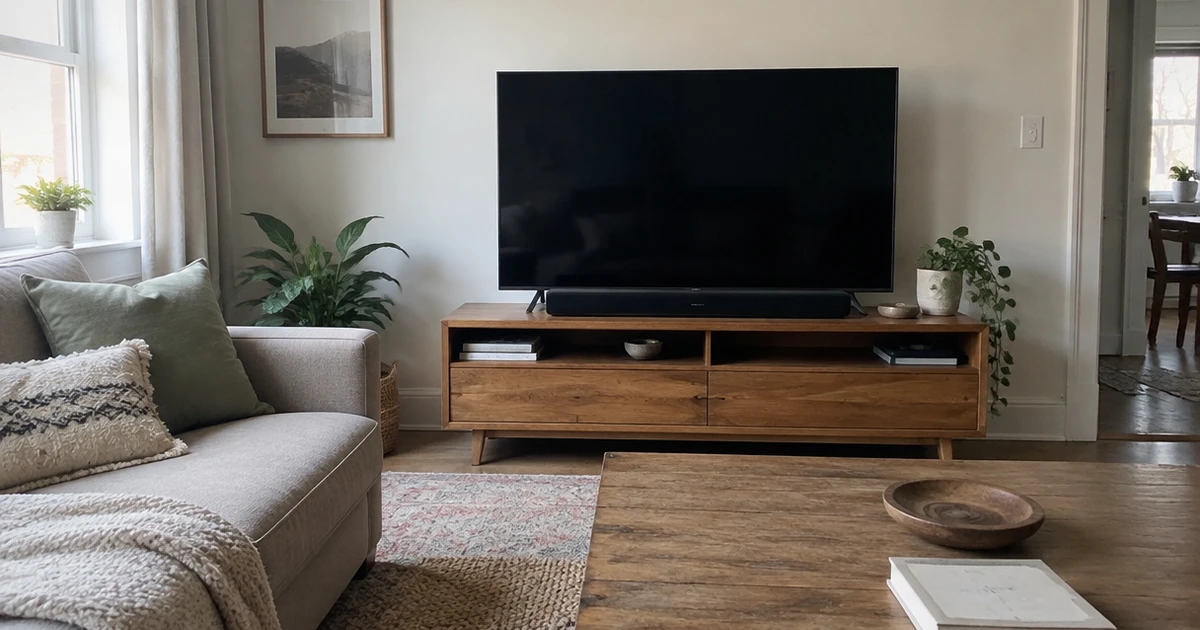
A small room rewards careful matching. Think about where the bar will sit, how you watch, and which connections or extra speakers fit your space.
Fit and Placement
Measure the space under your TV before you shop. Check the console’s width and depth, the gap below the screen, and the path for power and HDMI cables. Leave room to reach the TV’s ports, and avoid placing the bar where it blocks a sensor or covers the picture.
The soundbar can be shorter than the TV, but a bar that extends beyond a narrow shelf may look awkward or feel unstable. A subwoofer needs a separate floor spot, so include that in your room plan too. Use the table as a quick fit check.
| Room setup | What to prioritize |
|---|---|
| Narrow shelf | Short bar and clear cable path |
| Open floor space | Bar plus a separate subwoofer |
Speaker Layout and Bass
The channel count gives you a quick idea of the system’s layout. A 2.0 bar uses two main audio channels; 2.1 adds a subwoofer, while larger counts can include extra speakers and height effects. More channels can create a wider or more enveloping presentation, but each added speaker needs a place and sometimes its own power connection.
For a small room, focus on what you will actually set up rather than choosing the biggest number. Consider which setup fits your space:
- Choose 2.0 for one bar and less floor clutter.
- Choose 2.1 if you want a separate subwoofer for bass.
- Pick a surround layout only if rear speakers have a place.
Dialogue Clarity
Dialogue clarity matters if you watch dramas, news, or films at low volume. Look for a center channel or a speech-enhancement mode, which can make voices easier to pick out against music and effects.
These features suit rooms where you sit close to the TV or keep volume low, but they do not replace good placement. Keep the bar near the screen and avoid hiding it inside a closed cabinet.
If you often change volume to catch quiet lines, check for a dedicated dialogue control. A single adjustment can be easier than changing the full sound mode every time.
Connections and Compatibility
Check your TV’s ports before choosing a bar. HDMI ARC or eARC carries TV audio over HDMI, and CEC can let the TV remote control volume. Optical gives you another wired path, while AUX suits some older audio sources.
Bluetooth helps you play audio wirelessly from a phone, but it does not replace a TV connection on every setup. If you want music casting or voice assistant features, check for the wireless options you use. Match the connection to your habits, not just the port count, and check whether the bar supports CEC if you want devices to respond to TV controls.
Room Correction and Surround
Calibration tools can adjust sound for your room, which helps when a wall or furniture sits close to the speakers. Some systems use a built-in microphone, while others guide you through setup steps. Up-firing drivers send sound toward the ceiling for height effects, but ceiling shape and the bar’s position affect what you hear.
Rear speakers can add sound behind you, though they take floor or shelf space and need power or wireless links. Check how much setup the system asks of you and whether you can place each speaker near your seating area. Choose tools that match your room, not features you cannot use.
Everyday Controls and Smart Features
Smart extras help only if they match the way you use your room. Voice assistants let you control supported functions by speaking, while casting and AirPlay can send audio from compatible devices over Wi-Fi. Bluetooth offers a direct wireless option for a phone, but it may not support the same home controls.
Check which services work with your TV and phone before choosing a feature set. If a bar offers automatic voice emphasis, that feature can help keep speech clear without a manual adjustment. If you rarely stream music or use voice commands, prioritize volume control and input switching over a long list of apps.
Choose the Soundbar That Fits Your Room
Start with the TCL S55H Soundbar if you want a 2.1 system with AI Sonic calibration, Dolby Atmos, DTS Virtual:X, and dialogue features. The JBL Bar 2.0 MK2 suits a compact setup, while the JBL Bar 500M2 adds a center channel focused on voices.
For smart controls, look at the Samsung HW-Q900F; the Klipsch Flexus Core 300 offers Dirac Live correction but spans 54 inches. The ULTIMEA Skywave X60 brings rear speakers for full surround.
Frequently Asked Questions
Do you need a subwoofer with a soundbar?
A subwoofer can give films, music, and games stronger low notes, but it adds another box to place. Check that you have floor space near the bar and a route for power. If your room is tight or you prefer a simple setup, a soundbar without a separate subwoofer may suit you better.
How wide should a soundbar be?
Measure the shelf before you buy, including its depth and the gap below the TV. The bar does not need to match the TV’s width, but it should sit securely without covering the screen or blocking a sensor. Leave enough space to reach the ports and route cables neatly.
Can you put a soundbar inside a TV cabinet?
An open shelf can work, but a closed cabinet may muffle sound or trap heat around the electronics. Keep the front of the bar clear, and check that the shelf does not block upward-firing speakers if the model uses them. Follow the placement guidance for your setup.
Do you need Dolby Atmos in a small room?
No. A stereo or 2.1 soundbar can improve TV audio without Atmos. Atmos support matters if you want height effects and watch content mixed for that format, but the room and speaker placement shape what you hear. Choose it as a feature you will use, not a must-have for every setup.
Can you connect a soundbar to a TV without HDMI ARC?
Many soundbars connect through HDMI ARC or eARC, and some also support optical or AUX. Match the bar’s input to an output on your TV, then check whether you can control volume with the TV remote. Bluetooth may connect a phone, but it does not always replace a wired TV audio link.