10 Best Monitor Stands with Storage 2026

This post may contain affiliate links. As an Amazon Associate I earn from qualifying purchases. If you choose to make a purchase, I may earn a small commission at no extra cost to you.
A monitor can take up more desk space than you expect, while small items like pens, cables, and a phone need a place to go. A stand with storage lifts your screen and gives some of that desk space a second use.
Before you choose, match the width and height to your monitors, desk, and viewing position. Check whether you need drawers, open shelf space, adjustable length, or height settings; storage works best when it fits what you actually keep nearby.
The list below covers different needs, from dual-screen shelves to compact, height-adjustable designs. The Simple Trending Two-Tier Monitor Stand leads with two drawers and a lower tier.
Other options add built-in sorting, ventilation, wood styling, or no-assembly setup. These are the best monitor stands with storage you can buy in 2026.
Our Top Monitor Stands with Storage Picks

Simple Trending Two-Tier Monitor Stand
- Monitor capacity: Dual monitors
- Dimensions: 32 x 10 x 7 in
- Storage: Two drawers, lower tier

Simple Houseware Dual Monitor Stand
- Monitor capacity: Dual monitors
- Dimensions: 33.3-45 x 10.9 x 5 in
- Storage: Tray, drawer, side caddies

Gianotter Dual Monitor Stand with Drawer
- Monitor capacity: Dual monitors
- Dimensions: 40.6 x 9.3 x 4.3 in
- Storage: Drawer, two pen holders

Spacrea Adjustable Dual Monitor Stand
- Monitor capacity: Dual monitors
- Dimensions: 40.6 x 9.3 x 4.3 in
- Storage: Drawer, two pen holders

WALI Adjustable Monitor Stand with Storage
- Monitor capacity: Most flat-screen displays
- Dimensions: 14.6 x 9.3 in platform
- Storage: Drawer, two pen holders

Zimilar Two-Pack Adjustable Monitor Risers
- Storage: Metal drawer, phone holders
- Material: Steel
- Riser height: 4.13, 4.92, 5.71 in

Gianotter Ventilated Monitor Stand with Drawer
- Dimensions: 14.1 x 9.64 x 5.31 in
- Storage: Tray space, sliding drawer
- Material: Steel

WESTREE Wood and Steel Dual Monitor Stand
- Monitor capacity: Dual monitors
- Dimensions: 35.8 x 10.2 x 4.92 in
- Storage: Open space underneath

WESTREE Adjustable Three-Shelf Monitor Stand
- Monitor capacity: Dual monitors
- Dimensions: 27-39 x 9.3 x 6.1 in
- Storage: Drawer, three shelves

OPNICE Dual Monitor Stand with Drawer
- Monitor capacity: Dual monitors
- Dimensions: 10 x 3.62 x 16.06 in
- Storage: Drawer, two pen holders
More Details on Our Top Picks
The Simple Trending Two-Tier Monitor Stand gives you space for dual monitors and a second shelf for gear. Its two drawers keep small desk supplies close by, while the open lower tier fits larger items such as a keyboard, printer, or Xbox.
At 32 inches wide, this stand offers a broad work surface without adjustable length. You get a 7-inch riser height and room beneath the top shelf for devices you want to keep handy. The stand also supports up to 100 pounds.
The two-tier layout sets it apart from simpler risers such as the Gianotter model, which has one open area beneath the stand. A USB 2.0 port lets you charge compatible devices from the stand, and reusable cable ties help you manage cords.
Mesh vents add airflow around devices on the stand. Non-slip suction cups help hold the unit in place, though you should check that its fixed 32-inch width fits your desk before choosing it.
You’ll need to make room for its full footprint, since the width does not adjust. The Simple Trending Two-Tier Monitor Stand suits you if you want built-in drawers, an open lower shelf, and USB access in one fixed-size unit.
Bottom line: Choose it if you want a fixed-width dual-monitor stand with drawers, a roomy lower shelf, and a built-in USB port.
The Simple Houseware Dual Monitor Stand gives you a wide riser with several places to sort desk supplies. Its organizer tray includes six removable dividers, so you can arrange up to nine compartments for smaller items.
You can extend the stand from 33.3 inches to 45 inches wide, which gives you some flexibility as your setup changes. The 5-inch riser height raises a monitor or laptop, and side caddies keep items like cables and office tools within reach.
A built-in holder keeps a phone or tablet upright while you work. That extra feature makes this stand more suited to a desk where you often check a second screen than a simpler riser like the Gianotter model. The design is also covered by three USPTO patents.
The divided tray and side caddies give you more ways to organize supplies than a stand with only a drawer and pen holders. The trade-off is its wider footprint, especially when you extend it to the full 45 inches.
Check your available desk space before you choose it, since the extended width may not suit a compact workstation. The Simple Houseware Dual Monitor Stand fits you best if easy-access storage and a phone holder matter more than a plain shelf.
Bottom line: Pick it if you want a customizable organizer tray, side caddies, and a holder for your phone or tablet.
Gianotter Dual Monitor Stand with Drawer
The Gianotter Dual Monitor Stand with Drawer gives you a long, fixed-width riser for two monitors. At 40.6 inches long, it also leaves open space beneath the stand for a keyboard, mouse, or other desk items.
A drawer and two magnetic pen holders give you spots for smaller supplies. That setup helps you keep everyday items nearby without filling the open area below the shelf. The 4.3-inch riser height raises your screen, though the height and length are fixed.
The stand uses high-strength metal and comes ready to use without assembly. A 40.6-inch-wide platform makes it a better fit for a desk with room to spare than a compact stand like the WALI.
You get fewer organizer features than the Simple Houseware stand, which adds side caddies, a phone holder, and a divided tray. Still, this Gianotter model keeps the layout simple with a drawer and pen holders. The design is also patented.
Because it arrives fully built, you can put your monitors on it as soon as it is out of the box. The Gianotter Dual Monitor Stand with Drawer suits you if you want a ready-to-use metal riser with basic storage and a wide platform.
Bottom line: Choose it if you want a wide, fixed-height dual-monitor stand that needs no assembly and includes simple desk storage.
The Spacrea Adjustable Dual Monitor Stand gives you a long shelf for two screens, with an adjustable length and angle. Its length ranges from 27.6 to 40.6 inches, so you can adapt the span to your desk layout.
A drawer and two pen holders give you places to store small supplies. The steel stand sits 4.3 inches high and has anti-slip pads to help protect your desk surface. You can set it up in about a minute.
The adjustable length and angle make this stand more flexible than the fixed-width Gianotter model. You still need enough desk depth for its 9.3-inch footprint.
Spacrea designed the stand for office work, study, and gaming, with a layout meant to hold two displays. It offers a similar drawer-and-pen-holder setup to the Gianotter, but you can change the shelf span to suit different layouts.
The stand also comes with a 30-day refund offer. The Spacrea Adjustable Dual Monitor Stand fits you if you want a dual-screen shelf with adjustable length and angle rather than a fixed-size riser.
Bottom line: Pick it if you want a dual-monitor shelf that lets you adjust its length and angle to suit your desk.
WALI Adjustable Monitor Stand with Storage
The WALI Adjustable Monitor Stand with Storage gives you a compact shelf with three height settings. You can raise a monitor by 4.6, 5.4, or 6.1 inches, which gives you more height choices than fixed risers such as the Gianotter.
Its 14.6-by-9.3-inch plastic platform fits many flat-screen displays, laptops, and printers. A built-in drawer and two hanging pen holders help you sort smaller supplies, while the space underneath can hold items like a compact keyboard or documents.
The three height options make this stand useful if one fixed riser height doesn’t suit your setup. Rubber pads help prevent slipping and protect your work surface. The stand supports up to 44 pounds.
You can assemble it without tools, and the drawer comes out when you want more room beneath the shelf. Its compact platform won’t offer the broad dual-monitor space of the Simple Houseware or WESTREE models, so check your screen footprint before choosing it.
The WALI Adjustable Monitor Stand with Storage suits you if you want a smaller riser with changeable height and built-in storage for everyday desk supplies.
Bottom line: Choose it if you need a compact stand with three height settings and storage for small desk supplies.
The Zimilar Two-Pack Adjustable Monitor Risers gives you two stands, each with three height settings. You can set the riser height to 4.13, 4.92, or 5.71 inches, which lets you adjust the screen position to suit your desk.
Each stand has a steel platform with a star-mesh design for airflow. A sliding metal drawer holds letter-size paper, and foldable phone holders sit on both sides. The stands support up to 44 pounds.
The two-riser set gives you more flexibility than a single wide shelf like the Simple Trending model. You can place the stands side by side or apart, so they adapt to different desk layouts.
You can adjust the legs without tools, and the padded feet help keep the stands stable while protecting your desk. The mesh platform and height settings distinguish this pair from basic fixed-height risers.
The Zimilar Two-Pack Adjustable Monitor Risers suits you if you want two separate stands with adjustable height and built-in drawers. Check your available space and monitor size before buying.
Bottom line: Choose this set if you want two separate risers with adjustable heights, drawers, and foldable phone holders.
The Gianotter Ventilated Monitor Stand with Drawer gives you a compact steel shelf for a monitor, laptop, or printer. Its 14.1-by-9.64-inch footprint takes up less desk space than the wide dual-monitor risers in this roundup.
A sliding drawer and open tray space help you sort supplies. The stand sits 5.31 inches high, and its ventilated steel panel lets air pass around equipment placed on top. Non-slip rubber pads help keep the stand steady during use.
The ventilated steel top sets this model apart from stands with solid shelves. It works with printers, computers, and notebooks, and at 3.15 pounds it is easy to move around your desk.
This stand doesn’t offer the adjustable length or height settings found on the Spacrea or WALI models. It focuses instead on a stable, smaller footprint with a drawer and airflow. It also comes with a 100-day return policy, and customer support responds within 24 hours.
The Gianotter Ventilated Monitor Stand with Drawer suits you if you want a compact shelf with a drawer and airflow for a single device or printer.
Bottom line: Pick it if you want a compact steel shelf with a drawer and a ventilated top for a monitor, laptop, or printer.
The WESTREE Wood and Steel Dual Monitor Stand gives you a wide shelf with a rustic brown wood finish and steel legs. Its 35.8-inch length can support two monitors, while the open space below gives you room for desk supplies.
You can also use the stand for a laptop, printer, or TV. The 4.92-inch height raises your screen, and anti-slip pads help keep the stand from sliding across your desk. You can choose whether to install those pads.
The wood-and-steel construction gives it a different look from the all-metal risers here. It doesn’t include a drawer, pen holders, or a lower tier, so its storage comes from the open space beneath the shelf.
WESTREE includes pre-drilled holes, tools, parts, and instructions for assembly. That means you’ll need to put the stand together, unlike the Gianotter dual stand, which arrives ready to use.
The WESTREE Wood and Steel Dual Monitor Stand suits you if you want a wide, simple shelf with a wood finish for two screens, a laptop, a printer, or a TV. Check the 10.2-inch depth against your desk before buying.
Bottom line: Choose it if you want a wood-finish dual-monitor shelf with open storage underneath and steel legs.
The WESTREE Adjustable Three-Shelf Monitor Stand gives you a changing shelf length and angle for your desk setup. You can extend it from 27 to 39 inches, and its rotating sections can help it fit a corner.
The stand reaches 6.1 inches high and measures 9.3 inches deep. It has a drawer and three shelf levels, so you get more storage options than a basic monitor riser. You can also use it as a TV stand or a general storage shelf.
The adjustable length and angle make this stand more adaptable than fixed-width options like the Gianotter. It supports two monitors when fully extended.
This unit requires assembly, though the package includes instructions and a tool. That adds setup work compared with stands that arrive ready to use.
The WESTREE Adjustable Three-Shelf Monitor Stand suits you if you want a dual-monitor shelf that can rotate toward a corner. Measure your desk area before you choose it, since the stand can extend to 39 inches.
Bottom line: Pick it if you want an adjustable dual-monitor shelf that can change length and angle to fit your desk.
The OPNICE Dual Monitor Stand with Drawer gives you a shelf for two monitors, plus a drawer and two hanging pen holders. The open space underneath can hold a keyboard, mouse, files, or other desk items.
Its metal construction and no-installation setup suit you if you want to organize your desk without assembling a stand. It raises a monitor or laptop to a more comfortable viewing height, which can help you avoid looking down at your screen.
The drawer-and-pen-holder setup resembles the Gianotter dual stand, which also arrives ready to use. OPNICE adds free customer support within 24 hours.
At 7.47 pounds, the stand is still light enough to move when you rearrange your workspace.
The OPNICE Dual Monitor Stand with Drawer suits you if you want a no-assembly metal riser with basic storage. It is a simple pick if you want your desk organized the day it arrives.
Bottom line: Choose it if you want a no-assembly dual-monitor riser with a drawer and pen holders.
Factors to Consider When Choosing Monitor Stands with Storage
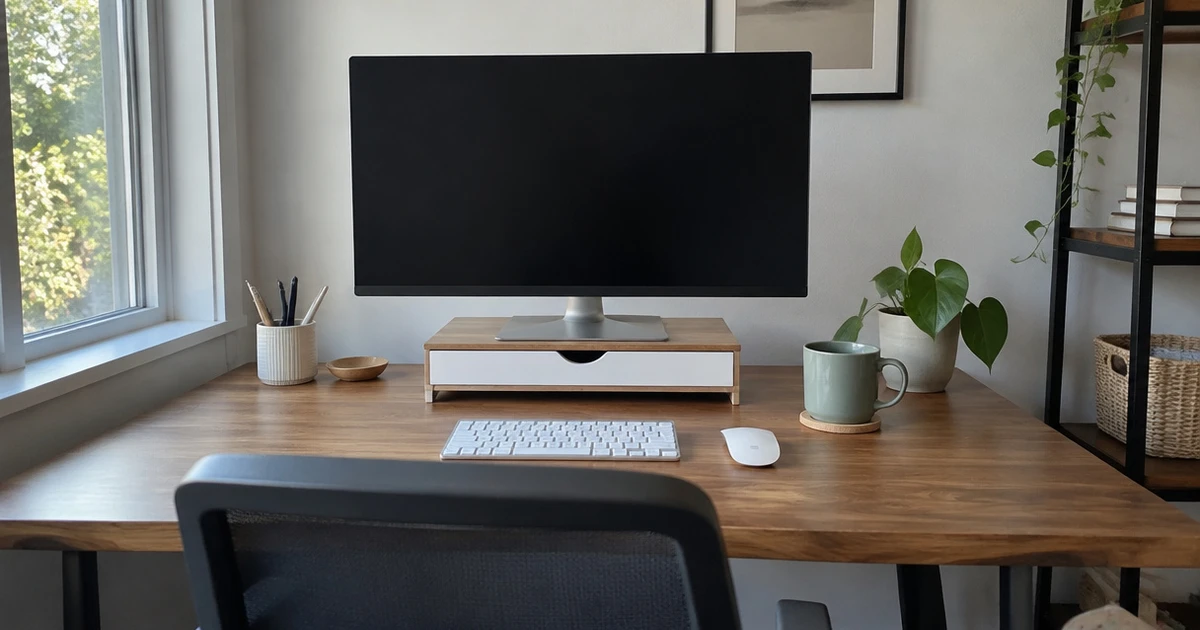
Start with your screen setup and desk space, then look at how you want to store everyday items. A few measurements and feature checks can help you find a stand that fits your workspace.
Screen Capacity and Width
Start with the space your screens occupy, not just the stand’s advertised capacity. A dual-screen setup needs a platform wide enough for both bases, with room to shift each display into position. Measure the screen feet at their widest points and compare that total with the usable platform width.
Also check depth: a wide stand can still leave a monitor base hanging over the front or back if the shelf is too shallow. For one monitor, a smaller platform can leave more desk room. If you may add a second screen later, choose a width that can handle that plan without crowding other desk items.
Riser Height and Viewing Position
Riser height affects where your screen sits relative to your eyes and chair. Check the listed lift in inches, then compare it with your current screen position while you sit in your usual posture. A fixed stand may work if the height already suits your desk and chair.
A model with more than one height setting gives you room to adjust if you change chairs or share the desk. Check the adjustment method too: removable legs or inserts take more handling than a simple fixed shelf. Do not choose height by number alone; verify that the screen base stays supported at each setting.
Storage Type and Access
Storage only helps if its shape matches what you keep nearby. A drawer hides small supplies, while an open shelf keeps a keyboard or notebook accessible under the raised screen.
Trays and side holders can sort loose items, but check their placement so they do not crowd your mouse area or cover a monitor base. List the items you want to store, then group them by size:
- Small supplies: a shallow drawer or divided tray
- Frequently used items: an open shelf or side caddy
- Long items: check the drawer depth and opening
Use those dimensions to judge access, not the compartment count alone. A crowded drawer can be less useful than one open shelf.
Desk Footprint and Adjustability
Check the stand’s full span against your desk and the space around it. A fixed platform suits a setup that stays in one place, while an adjustable design can change length or angle to fit a corner or a wider screen arrangement. Confirm the minimum and maximum width rather than relying on the word adjustable.
Measure the desk at the front edge and where the supports will rest. The platform also needs enough depth to hold the screen feet without hanging over the shelf. Use the comparison below to plan:
| Stand style | May suit | Check before buying |
|---|---|---|
| Fixed width | A steady desk layout | Exact platform width |
| Adjustable span | A changing or corner layout | Minimum and maximum reach |
| Compact platform | A shallow desk | Screen base and usable depth |
Weight Support and Stability
A stand must support the monitor or monitors you plan to place on it. Check the stated weight limit and compare it with the combined weight of screens and any items resting on the platform. If the stand lists capacity only for the top shelf, do not assume that figure applies to drawers or lower shelves.
Look at the support layout: feet or legs should sit on a flat part of the desk, and the platform should leave the screen bases fully on the shelf. For heavier equipment, choose a stand with a clear load rating and firm support rather than guessing from material alone.
Setup and Useful Extras
Setup and small extras affect daily use. If you do not want to assemble anything, look for a stand sold ready to use; if it ships in parts, check whether tools and instructions come with it. Rubber pads can help keep a stand from sliding or scratching a desk, while cable clips or ties can keep loose cords arranged.
A vented top can leave space for air around equipment. Think about cleaning, too: a smooth open shelf wipes down more easily than a tight mesh or a drawer filled with small items. USB ports are useful only if their location and type match the devices you plan to connect.
Choosing a Monitor Stand That Fits Your Desk
Choose the Simple Trending Two-Tier Monitor Stand for a dual-screen setup with two drawers and a lower tier. The Simple Houseware Dual Monitor Stand suits you if removable dividers and side caddies help sort supplies.
Pick the Gianotter Dual Monitor Stand for a fixed, no-assembly shelf, or the Spacrea if adjustable length and angle matter. WALI offers a compact platform with three height settings, while Zimilar gives you two adjustable risers.
For ventilation, consider the Gianotter Ventilated Monitor Stand; the WESTREE Wood and Steel stand leaves open space below. WESTREE’s three-shelf model fits an adjustable corner setup, and OPNICE offers a dual-monitor option with no installation. Match your choice to your screen layout, desk space, and storage needs.
Frequently Asked Questions
Do monitor stands with storage fit two monitors?
Many stands can hold two screens, but the platform needs enough width and depth for both bases. Measure the feet of each monitor and compare their combined span with the usable shelf area, leaving room to position the screens without pushing a base over an edge.
How high should a monitor stand be?
Set the stand height so your screen sits comfortably in your usual seated position. Check the rise in inches and compare it with your current setup, then account for your chair and desk height. If more than one person uses the desk, adjustable height can make fit easier.
Can you use monitor stand storage for a keyboard?
Often, the open space below a raised platform can hold a keyboard when you are not typing. Measure the keyboard and the available opening before buying, since shelf height and leg placement affect whether it slides in. A drawer may take away some of that space.
Are adjustable monitor stands worth it?
Adjustable length helps if you need to fit a changing screen layout or work around a corner. Height settings help if your chair, desk, or preferred screen position changes. If your setup stays fixed, a simple stand with the right dimensions may meet your needs without adjustment.
Do monitor stands with storage need assembly?
Some arrive ready to use, while others need tools or basic assembly. Check the setup details before ordering, especially if you want to avoid attaching legs or shelves. A no-assembly design can save setup time, but still verify its dimensions and support rating.