6 Best Standing Desks for Small Home Offices 2026

This post may contain affiliate links. As an Amazon Associate I earn from qualifying purchases. If you choose to make a purchase, I may earn a small commission at no extra cost to you.
A small home office leaves little room for a desk that feels cramped once you add a screen, keyboard, and daily work supplies. A height-adjustable model can help you change positions during the day, but only if its footprint, height range, and storage suit your room.
The best standing desks for small home offices balance a usable desktop with a base that fits your layout, simple controls, and features that solve real space problems. The ErGear Electric Standing Desk is our top pick for its 48 x 24-inch surface, four memory settings, quiet motor, and low-VOC materials. Below, you’ll find options for storage, monitor mounting, tight corners, and quieter compact setups, with guidance to help you choose in 2026.
Our Top Standing Desks for Small Home Offices Picks

- Desktop size: 48 x 24 inches
- Height range: 28.35 to 46.46 inches
- Memory presets: 4 settings

FEZIBO Maple Electric Standing Desk
- Desktop size: 47.2 x 23.6 inches
- Height range: 28.3 to 46.5 inches
- Memory presets: 3 settings

Veken Electric Standing Desk with Drawers
- Desktop size: 47.2 x 28 inches
- Height range: 28.3 to 46.5 inches
- Memory presets: 3 settings

HUANUO Electric Standing Desk with Drawers
- Desktop size: 48 x 24 inches
- Height range: 27.5 to 46.4 inches
- Memory presets: 4 settings

HUANUO Compact Electric Standing Desk
- Desktop size: 32 x 19 inches
- Height range: 28.3 to 46.5 inches
- Memory presets: 4 settings
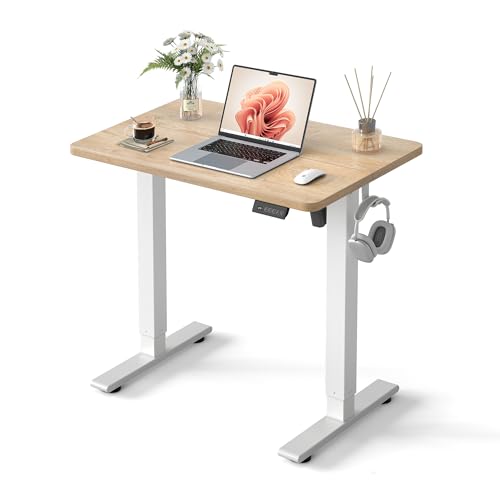
Cubiker Compact Electric Standing Desk
- Desktop size: 32 x 19 inches
- Height range: 28.3 to 46.5 inches
- Memory presets: 3 settings
More Details on Our Top Picks
ErGear Electric Standing Desk suits you if you want a full-size work surface and frequent sit-stand changes in a small home office. Its 48-by-24-inch top gives you more room than the 32-by-19-inch compact desks, and its height adjusts from 28.35 to 46.46 inches.
Four memory presets let you return to saved heights with one touch. The alloy-steel frame and aerospace-grade lifting columns pair with a quiet motor, and the desk has passed a 100,000-cycle lift test.
ErGear Electric Standing Desk stands out for its four presets, 100,000-cycle testing, and low-VOC materials. It takes more floor space than the compact HUANUO and Cubiker desks, but gives you a larger top and more saved positions than the FEZIBO or Veken models.
Bottom line: Choose it if you want a full-size desk with four saved heights and a frame tested for frequent lifting.
FEZIBO Maple Electric Standing Desk gives you a nearly 48-by-24-inch work surface in a maple color. It adjusts from 28.3 to 46.5 inches, with three memory presets for your usual sitting and standing heights.
The reinforced steel frame supports up to 176 pounds, and the motor runs below 45 dB. Its FSC-certified wood desktop gives you a clear material detail, while the preassembled parts can cut down on setup work.
FEZIBO Maple Electric Standing Desk is a good fit if you want a stated 176-pound capacity and a quiet motor in a standard-size desk. ErGear gives you one more preset and a longer lift-cycle test, while this FEZIBO pairs a maple look with FSC-certified wood.
Bottom line: Pick it if you want a familiar desk size, a quiet motor, and a stated load capacity.
Veken Electric Standing Desk with Drawers suits you if you want storage and a raised monitor shelf built into your workstation. The 47.2-by-28-inch surface gives you more depth than the 24-inch desks, and the shelf adds a second level for your screen.
A drawer keeps small items close, while an under-desk hook and cable tray help organize accessories and cords. The desk adjusts from 28.3 to 46.5 inches, saves three heights, and supports up to 176 pounds.
Veken Electric Standing Desk with Drawers also has a cold-rolled steel frame, a motor that runs below 50 dB, and a two-year warranty. Its built-in drawer and cable tray give you a more organized setup than a bare desktop, but the 28-inch depth needs more room than compact options.
Bottom line: Choose it if you want a monitor shelf, drawer, and cable tray in one adjustable desk.
HUANUO Electric Standing Desk with Drawers gives you a 48-by-24-inch top with two drawers and an open storage cubby. Its 27.5-to-46.4-inch height range and four presets make it easy to save your preferred sitting and standing positions.
The raised monitor shelf brings screens closer to eye level, and a 2.36-inch rear platform edge leaves room for a C-clamp monitor mount. Curved edges soften the tabletop’s front edge as you work around it.
HUANUO Electric Standing Desk with Drawers works well if you need built-in storage and want a choice between a monitor shelf and a clamp-mounted screen. The Veken adds a cable tray and under-desk hook, while this HUANUO offers two drawers and a cubby; its 48-by-24-inch footprint takes more space than the compact desks.
Bottom line: Pick it if you want drawers, a cubby, and room for either a shelf-mounted monitor or a C-clamp mount.
HUANUO Compact Electric Standing Desk fits a 32-by-19-inch surface into a tight home office corner. You can set its height from 28.3 to 46.5 inches and save four preferred positions for one-touch adjustments.
The desk supports up to 176 pounds and uses heavy-duty steel rails. Its motor runs quietly, while rounded desktop corners help reduce sharp edges in a close workspace.
HUANUO Compact Electric Standing Desk also has wheel-ready feet with M8 screw holes, so you can add compatible casters. That feature gives it a different kind of flexibility than the similarly sized Cubiker, which has three presets; the HUANUO offers four. Its compact footprint saves room, but leaves less desktop space than the 48-by-24-inch options.
Bottom line: Choose it if you need a small work surface, four saved heights, and feet that can take casters.
Cubiker Compact Electric Standing Desk gives you a 32-by-19-inch work surface for a smaller room or home office corner. Its height adjusts from 28.3 to 46.5 inches, and three memory presets let you save your regular positions.
The steel frame supports the two-piece desktop, which has rounded corners. The motor runs below 45 dB, and the desk has passed a 50,000-cycle lift test.
Cubiker Compact Electric Standing Desk uses low-VOC materials and comes with the tools needed for assembly. Its quiet motor suits a shared room, while the compact top asks you to keep your desk setup modest. The HUANUO compact desk adds a fourth preset and a stated 176-pound capacity; choose the Cubiker if three saved heights and a maple-color top suit your setup.
Bottom line: Pick it if you want a quiet, compact desk with three saved heights and a maple-color top.
Factors to Consider When Choosing Standing Desks for Small Home Offices
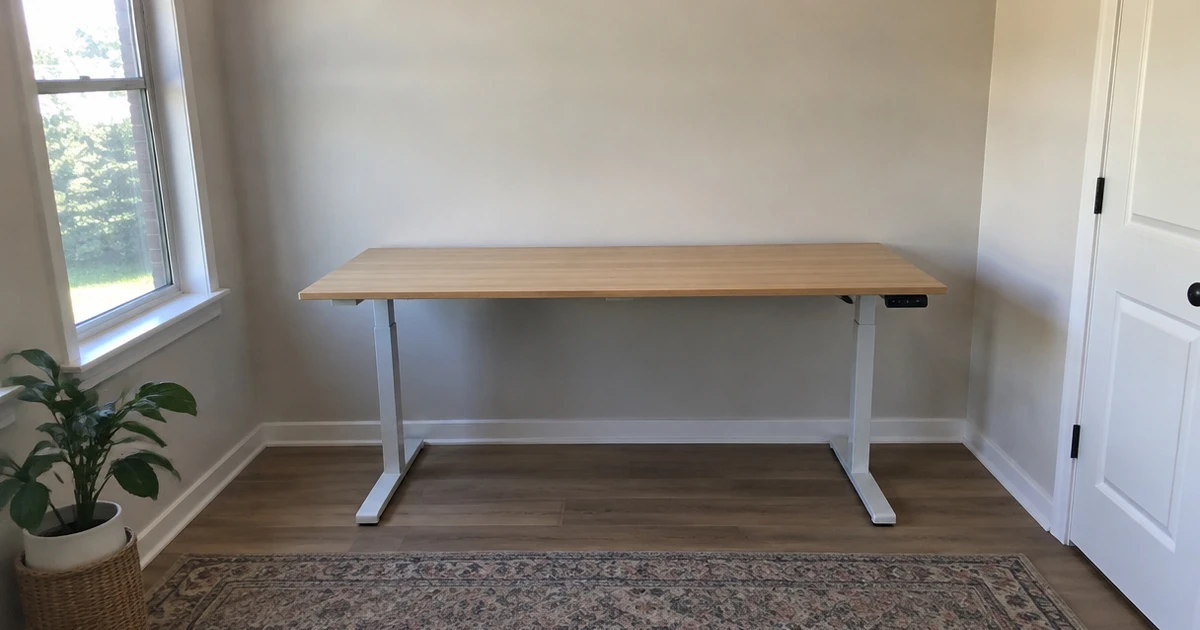
Start with your room and work setup, then compare the desk’s footprint, height range, and useful features. A compact desk should give you enough room to work without crowding the rest of your office.
Measure the Footprint
Measure the space where you plan to place the desk, including room for your chair and a clear path around it. Check the desktop’s width and depth, then think about what needs to stay within reach while you work. A narrow surface may suit a laptop setup, while a larger screen or paper work calls for more room.
| Work setup | Surface priority | Space trade-off |
|---|---|---|
| Laptop and notebook | Writing room beside your device | Keep extra depth modest |
| Screen and keyboard | Room for both at a comfortable distance | Allow more desktop depth |
| Work supplies nearby | Space for items you use often | Plan for storage or a wider surface |
Leave room to move around the desk. A surface that barely fits the wall may still make the room feel crowded.
Check the Height Range
Compare the desk’s lowest and highest settings with your seated and standing positions. Your elbows should rest comfortably near desk height as you type, and you should not need to hunch or reach up. Measure your own comfortable working heights before choosing, since a range that suits one person may not suit another.
Think about who will use the desk. If people of different heights share it, a wider adjustment range and saved height settings can make daily changes easier.
Check whether the control panel lets you save preferred positions, especially if you switch between sitting and standing often. Test your measurements in the shoes you usually wear while working.
Consider Stability and Load
The frame supports the desktop and everything you place on it, so check the stated load capacity and count your equipment before buying. Include monitors, a computer, accessories, and work supplies. Leave some room below the maximum rather than planning to load the desk right up to its limit.
- Look for a solid frame that suits your intended setup.
- Check whether the base and legs leave enough room for your feet.
- Think about how much equipment you may add later.
A desk that feels steady at your chosen height helps keep typing comfortable. If you use a large screen or several devices, prioritize a strong base and a surface that holds them without crowding your work area.
Compare Controls and Motor Noise
Electric controls can make height changes easier during a busy workday. Memory presets help you return to familiar positions without resetting the height each time. Three or four presets can cover a few common working positions, such as your seated and standing heights, or settings for different users.
Motor noise matters if you work near other people or take calls from your desk. A quiet motor can make adjustments less distracting, while a stated decibel level gives you a specific figure to compare across models. Also check that the controls sit where you can reach them easily and do not take up useful desktop space.
Look at Storage and Cable Management
Built-in storage can free up the desktop, but it also changes how much legroom and clearance you have. Drawers work well for small supplies you want close by.
An open cubby gives quick access to items, while hooks can hold lightweight accessories. Match the storage style to what you actually use instead of choosing extra compartments by default.
Cables can snag or hang near moving parts as the desk changes height. A cable tray or other tidy routing option can help keep cords gathered under the surface. Check where the storage and cable features sit, then picture how they will work with your chair, legs, and wall outlet.
Which Standing Desk Fits Your Small Office?
Choose the ErGear Electric Standing Desk for a well-rounded setup with a 48 x 24-inch surface, four saved height settings, a quiet motor, and low-VOC materials. The FEZIBO Maple Electric Standing Desk pairs a reinforced steel frame with a 176-pound capacity and a motor that runs under 45 dB. For built-in storage, the Veken adds a drawer, hook, and cable tray.
The HUANUO Electric Standing Desk with Drawers suits a monitor-mount setup, while the 32 x 19-inch HUANUO Compact model fits tight corners and offers four presets. Pick the Cubiker if you want a compact 32 x 19-inch desk with three presets, low-VOC materials, and a motor rated under 45 dB.
Frequently Asked Questions
How much space does a standing desk need?
Measure the desk’s width and depth, then mark that footprint on your floor before you buy. Leave room for your chair and a clear path around the work area. Also check the desktop against your equipment, since a compact surface can feel crowded if it must hold a screen, keyboard, and supplies.
Can a standing desk fit in a corner?
Many compact rectangular desks can work in a corner if their width and depth fit the available space. Measure both walls and account for the desk’s legs, not just the desktop. Check that you can still reach the controls and move your chair without blocking a doorway or nearby storage.
What height should I set a standing desk to?
Set the desk so your arms rest comfortably near desk level while you type, without lifting your shoulders or leaning forward. Your ideal setting depends on your height and posture. If you share the desk, save separate settings when the controls allow it, then adjust the desk to suit each person.
Are electric standing desks noisy?
Motor noise varies by desk. Check for a stated noise level if you work in a quiet room or take calls nearby. A lower decibel figure can help you compare models, but your room and how often you adjust the desk also affect how noticeable the sound feels.
Do I need built-in storage?
Built-in storage helps if you keep small supplies close and want a clearer desktop. Drawers suit items you prefer to tuck away, while an open cubby keeps things easy to reach. Check that the storage does not crowd your legs or interfere with your chair.