10 Best Ergonomic Office Chairs for Back Pain 2026

This post may contain affiliate links. As an Amazon Associate I earn from qualifying purchases. If you choose to make a purchase, I may earn a small commission at no extra cost to you.
Long hours in a chair can leave your lower back sore, especially when the seat makes you slouch or the lumbar support misses your natural curve. The right fit can make your workday easier, but no chair can replace movement or medical care.
Look for support you can position, a seat that fits your legs, and adjustments that match your desk habits. This guide to the best ergonomic office chairs for back pain you can buy in 2026 covers options for different needs, with the CAPOT Ergonomic Mesh Office Chair as the top pick for its adjustable lumbar system and range of settings.
Our Top Ergonomic Office Chairs Picks

CAPOT Ergonomic Mesh Office Chair
- Lumbar support: 8 levels, 2-inch range
- Seat: Aerovith mesh
- Backrest: Mesh high back

TRALT Ergonomic Mesh Office Chair
- Lumbar support: Depth adjustable
- Seat: High-resilience molded foam
- Backrest: Breathable mesh

Marsail Ergonomic Office Chair
- Lumbar support: 2-way adjustment
- Seat: 3.14-inch high-density foam
- Backrest: Breathable mesh

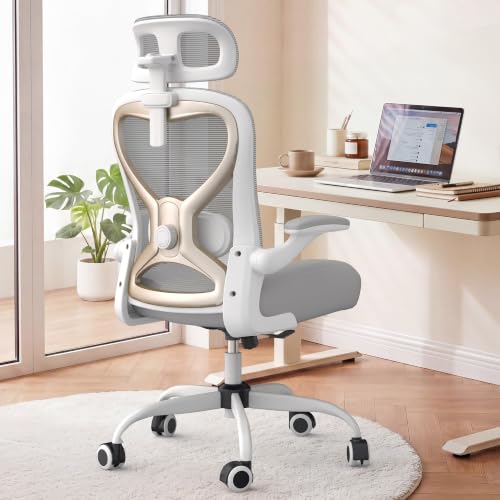
HOLLUDLE V-Back Mesh Office Chair
- Lumbar support: 3D, five-way adjustment
- Backrest: V-shaped mesh
- Adjustability: 2D headrest, 3D arms

GABRYLLY Ergonomic Office Chair
- Lumbar support: Integrated support
- Seat: Breathable mesh
- Backrest: High-back mesh

MOLENTS Adjustable Mesh Office Chair
- Lumbar support: Up/down, forward/back
- Seat: 19.8-inch width, 18.9-inch depth
- Backrest: Breathable elastic mesh

Zeonsit Ergonomic Office Chair
- Lumbar support: 4-way adjustable
- Seat: Virgin foam
- Backrest: Breathable mesh
CASASIO Ergonomic Office Chair
- Lumbar support: Dual-direction cushion
- Seat: 3.5-inch virgin foam
- Backrest: Contoured mesh

ELABEST X100 Mesh Office Chair
- Lumbar support: 3D multi-way adjustment
- Backrest: Ventilated mesh
- Adjustability: 5D arms, 3D headrest

Cloomey Big and Tall Office Chair
- Lumbar support: Inflatable cushion
- Seat: Thick, layered cushion
- Backrest: Leather upholstery
More Details on Our Top Picks
The CAPOT Ergonomic Mesh Office Chair suits you if you want precise lower-back support and several ways to adjust your sitting position. Its lumbar support moves through eight levels and offers two inches of adjustment.
The mesh seat and back let air circulate, while the headrest adjusts in height and depth. You can raise the arms out of your way and lock the backrest at one of three angles.
Compared with simpler chairs in this group, CAPOT gives you more lumbar settings and supports up to 400 pounds. Its stainless steel base and BIFMA X5.1 certification add reassurance for daily use.
The micro-adjustable lumbar support takes some time to set to your liking, and the chair has a mesh seat rather than a thick foam cushion. Choose it if you want fine-tuned adjustments and a high weight capacity.
Bottom line: Buy this if you want detailed lumbar adjustment, a mesh seat, and a sturdy base with a 400-pound capacity.
The TRALT Ergonomic Mesh Office Chair is a good fit if you prefer a cushioned seat and adjustable lower-back support. Its molded foam seat aims to hold its shape, while the mesh back lets air flow.
You can move the lumbar support forward or back to match your posture. The seat height adjusts from 17.7 to 21.7 inches, and the chair suits users around 5 feet 4 inches to 6 feet 2 inches.
Compared with the CAPOT, TRALT gives you a foam seat and a depth-adjustable lumbar support, but its listed features do not include a reclining backrest or headrest. It supports up to 330 pounds and uses a metal-core nylon base with a Class 3 BIFMA-certified gas lift.
The high-resilience molded foam and depth-adjustable lumbar are its main strengths. Pick the TRALT if you value seat cushioning and simple support settings over a wider range of recline features.
Bottom line: Choose the TRALT if you want a foam seat, adjustable lumbar depth, and a chair sized for users about 5 feet 4 inches to 6 feet 2 inches.
The Marsail Ergonomic Office Chair gives you a breathable mesh back, a thick foam seat, and several ways to set your arm position. Its lumbar support moves up and down as well as forward and back.
You can adjust the headrest, recline the back from 90 to 120 degrees, and move the arms forward or backward. The armrests also swivel and flip up, so you can clear space around your desk.
Compared with the TRALT, Marsail adds an adjustable headrest and a reclining backrest. Its 3.14-inch foam seat offers a more padded feel than the mesh-seat chairs in this group.
The 3D armrests give you room to change your arm position during the day, but all those controls may take a little setup. The chair supports up to 330 pounds and suits you if you want padded seating with adjustable lumbar support.
Bottom line: Pick Marsail if you want a foam seat and armrests that adjust in several directions, swivel, and flip up.
The HOLLUDLE V-Back Mesh Office Chair is for you if you like to fine-tune your lower-back support. Its 3D lumbar feature moves up and down, forward and back, and rotates to change how it meets your back.
The headrest adjusts in height and angle, while the armrests move in three ways. You can also choose from three tilt-lock positions, which gives you options for desk work and relaxed sitting.
Compared with the Marsail, HOLLUDLE offers rotating lumbar adjustment and a distinctive V-shaped back. It meets BIFMA and EN1335 standards, and its 35 mm steel mechanism adds a sturdy element to the frame.
The white finish and V-shaped design stand out from the mostly black chairs here. You do not get a listed seat cushion material or weight capacity, so choose this chair for its wide lumbar adjustment and multi-way armrests, not for a specific capacity target.
Bottom line: Choose HOLLUDLE if you want several ways to adjust lumbar support and arm position, plus a distinctive V-shaped back.
The GABRYLLY Ergonomic Office Chair works well for you if you want a high back and mesh across both the seat and back. Its breathable surfaces suit long desk sessions, and the chair has four support points for your head, back, hips, and hands.
You can adjust the seat height, headrest, and backrest, then raise the arms to slide the chair under your desk. The back reclines from 90 to 120 degrees and locks into position.
Compared with chairs that use foam seats, GABRYLLY keeps the seat mesh-covered for airflow. Its recommended user height range runs from 5 feet 2 inches to 6 feet 1 inch, and its capacity is 300 pounds.
The mesh seat and back may suit you better than a thick, padded seat if you tend to feel warm while sitting. Choose this chair for its wide seat, flip-up arms, and fit range.
Bottom line: Choose GABRYLLY if you want a breathable mesh seat and back, a high back, and flip-up arms for a desk-friendly fit.
The MOLENTS Adjustable Mesh Office Chair gives you adjustable lumbar support and armrests that move in several directions. Its breathable, stretchy mesh back suits you if you prefer airflow over a padded back.
You can move the lumbar support up or down and forward or back to change where it meets your lower back. The arm panels slide forward and backward and rotate, while the backrest locks at three angles from 90 to 120 degrees.
Compared with Marsail, MOLENTS lists a slightly shallower recline range and specific seat dimensions: 19.8 inches wide and 18.9 inches deep. Its BIFMA X5.1 certification adds a construction standard to its feature set.
The seat height ranges from 19.5 to 23.3 inches, so check that range against your desk and preferred sitting position. Choose MOLENTS for moveable arm panels and two-way lumbar adjustment, rather than a seat cushion with specified foam.
Bottom line: Pick MOLENTS if you want adjustable lumbar support and arm panels that slide and rotate, with a three-position recline.
The Zeonsit Ergonomic Office Chair suits you if you want an adjustable lumbar cushion, a breathable back, and a rocking function. Its padded virgin-foam seat adds cushioning for everyday desk work.
You can adjust the headrest, lumbar support, and seat height, then raise the arms when you want more room. The back rocks when you lean, giving you a different position for a break between tasks.
Compared with the CASASIO, Zeonsit shares the foam seat, mesh back, flip-up arms, and rocking feature. It supports up to 330 pounds and adds a five-year warranty, while the CASASIO lists a three-way adjustable headrest and tension control for rocking.
The adjustable lumbar support and virgin-foam seat make it a straightforward choice for daily use. Choose Zeonsit if you want rocking movement and a stated five-year warranty without a complicated set of controls.
Bottom line: Choose Zeonsit if you want an adjustable lumbar cushion and a rocking chair with a padded seat and mesh back.
The CASASIO Ergonomic Office Chair is a fit for you if you want a cushioned seat, a contoured mesh back, and a headrest with several adjustments. Its 3.5-inch virgin-foam seat gives you a padded alternative to the mesh seats in this group.
You can move the lumbar cushion in two directions and adjust the headrest for height, depth, and angle. The arms flip up, and the chair rocks with adjustable tension.
Compared with the Zeonsit, CASASIO lists a more adjustable headrest and a tension control for the rocking motion. Its reinforced metal base supports up to 350 pounds, and the chair comes with tools and assembly instructions.
The combination of a thick foam seat and adjustable lumbar cushion suits long desk sessions if you prefer padding over a mesh seat. Pick it if you also want rocking tension control and flip-up arms for a flexible work area.
Bottom line: Choose CASASIO if you want a padded seat, adjustable lumbar and head support, and a rocking motion with adjustable tension.
The ELABEST X100 Mesh Office Chair gives you a built-in footrest along with extensive lumbar and arm adjustments. It suits you if you want to switch between desk work and leaning back during breaks.
The lumbar support moves in several directions, and the headrest and armrests offer multiple adjustments. You can recline through three stages and extend the footrest to 18 inches, with two footrest angle settings.
Compared with the CAPOT, ELABEST adds a footrest and more armrest adjustment points, while its listed capacity is 300 pounds rather than 400. The mesh design supports airflow, and the frame has BIFMA certification.
The extendable footrest makes this chair more suited to relaxed sitting than a basic task chair. Choose it for the multi-way armrests and adjustable lumbar system, while keeping its capacity limit in mind.
Bottom line: Pick the ELABEST X100 if you want a footrest for breaks, along with adjustable lumbar support and armrests that flip up.
The Cloomey Big and Tall Office Chair is made for you if a high weight capacity and a broad, padded seat matter most. It supports up to 500 pounds and uses an inflatable lumbar cushion that you can adjust to add or reduce support.
The chair has a thick, layered cushion and padded arms. Its rubber-coated casters roll quietly and avoid leaving marks on hardwood, laminate, tile, and vinyl floors.
Compared with the 400-pound CAPOT, Cloomey offers a higher listed capacity but fewer stated adjustments. It has a sturdy metal base and an SGS-certified grade 3 gas cylinder, though its warranty lasts one year.
The inflatable lumbar support lets you change the cushion firmness, while the wide padded seat gives this chair a more cushioned feel than mesh models. Choose it if you need its 500-pound capacity and prefer an executive-style chair.
Bottom line: Choose Cloomey if you need a chair with a 500-pound capacity, inflatable lumbar support, and a thick padded seat.
Factors to Consider When Choosing Ergonomic Office Chairs for Back Pain
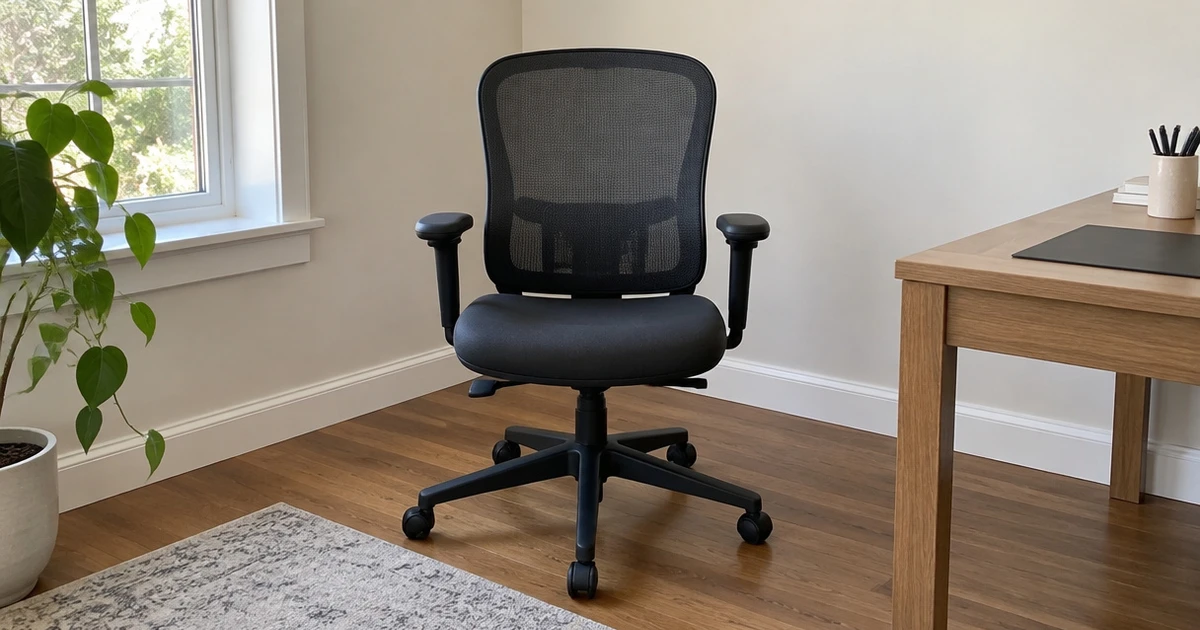
Back comfort depends on fit, adjustability, and how you use your desk. Compare a chair’s settings with your body and work routine, and try the adjustments before you settle on a style.
Lumbar Support
Start by checking where the chair supports your lower back. Sit back with your shoulders relaxed and see whether the support meets your back near the beltline. A cushion that sits too high or too low can feel distracting, even if it has several settings.
Check whether you can adjust the support up and down, forward and back, or in more than one direction. If you share a chair, flexible controls can help each person find a comfortable setting. Use this guide to compare common adjustment types.
| Support style | What you can adjust | May suit you if |
|---|---|---|
| Integrated | Little or no movement | You prefer a fixed shape |
| Depth adjustment | How far support reaches forward | You need to change pressure |
| Multi-way adjustment | Position in several directions | You want more control over fit |
Seat Fit and Cushion
A seat should hold your weight without pressing hard into the backs of your thighs. Check the width and depth against your body, and leave a small gap between the seat edge and the backs of your knees. If you sit cross-legged or shift often, pay close attention to the usable seat area.
Foam and mesh feel different during long work sessions. Foam gives you a padded surface, while mesh lets air pass through the seat.
Some chairs use high-density or molded foam, and others use elastic mesh. If you prefer a softer feel, look for a cushioned seat; if you tend to feel warm, consider a mesh surface.
Armrests and Headrest
Armrests can take pressure off your shoulders when they sit at a comfortable height. Adjust them so your forearms can rest while your shoulders stay relaxed, and check that they do not stop you from moving close to the desk. Flip-up arms can help if you want to tuck the chair under a desk.
More adjustment directions give you more ways to position each arm. Check whether the arms move up and down, forward and back, or side to side. A headrest can also help you find a supported position when you lean back, but it should not push your head forward.
- Choose height adjustment if your desk and chair sit at different levels.
- Look for depth or angle controls if you change arm position through the day.
- Check headrest height and depth while sitting in your usual posture.
Recline and Movement
Check how far the backrest reclines and whether you can lock it in place. Some chairs offer a range from 90 to 120 degrees, while others use a few fixed tilt-lock positions. A wider recline range can give you more choice, but you may prefer a firm backrest that stays upright during focused work.
A rocking function lets the chair move as you lean back. Look for tension control if you want to change how easily it rocks, and test whether the chair stays stable when you shift your weight. If you tend to sit in one position, simple tilt locks may be easier to manage than a free-moving recline.
Capacity and Build
Check the chair’s stated weight capacity and compare it with your needs. Chairs in this category list capacities from 300 to 500 pounds. Treat the capacity as a limit, not a comfort rating, and check that the seat width and depth also suit your build.
Look for clear details about the base, gas lift, and frame. A metal base or a stated gas-lift grade can help you compare construction, while certifications such as BIFMA or EN1335 offer another point of reference. If you expect to use the chair for years, compare the warranty terms as part of your decision.
- Check the weight capacity against your own requirements.
- Compare seat measurements with your preferred sitting position.
- Review the stated build standards and warranty terms.
Choose a Chair That Fits Your Workday
Choose the CAPOT Ergonomic Mesh Office Chair if you want eight lumbar settings and several other adjustments. The TRALT suits you if you prefer a foam seat, while the Marsail offers 3D arms. The HOLLUDLE gives you multi-way lumbar adjustment, and the GABRYLLY uses an integrated support design.
For arm positioning, compare the MOLENTS; for rocking, consider the Zeonsit or CASASIO. The CASASIO also has a thick foam seat and adjustable rocking tension.
The ELABEST includes a footrest, while the Cloomey has a 500-pound capacity. Match your choice to the fit and settings you will use most.
Frequently Asked Questions
Can an ergonomic office chair help with back pain?
A well-fitted chair can help you sit with less strain by keeping your hips and back in a comfortable position. It cannot diagnose or treat the cause of pain, and a poor fit can still feel uncomfortable. If pain persists or limits daily tasks, talk with a health professional.
What kind of lumbar support should I look for?
Look for support that meets your lower back without pushing you forward. Height and depth adjustments let you change where the support sits and how firmly it reaches your back. If you share the chair or often change posture, controls that move in more than one direction can give you more options.
Is a mesh seat or foam seat better for long workdays?
That depends on what feels comfortable to you. Foam provides a padded sitting surface, while mesh allows more airflow through the seat. Check the seat shape and depth as well as the material, since a seat that presses against your legs can feel uncomfortable even if you like its texture.
How should I set my chair height?
Adjust the seat so your feet rest flat on the floor and your knees bend comfortably. Keep your shoulders relaxed as you reach the desk, and change the armrest height if it makes you raise your shoulders. If your feet do not reach the floor, a footrest can help.
Should I use a recline or tilt feature while working?
A recline feature gives you a way to lean back and change your position. Try the tilt locks and tension controls to see what feels steady and easy to manage. No chair setting replaces movement, so stand or shift position regularly during long work sessions.